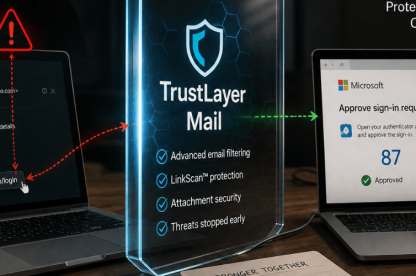
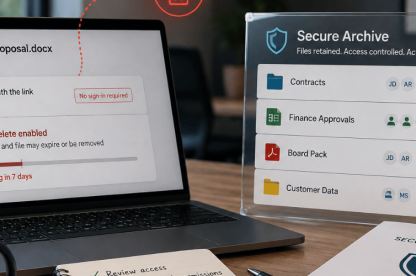
Email scams evolve faster than most filters. Attackers know how to trick even vigilant users, and it takes more than one tool to stop them. Phishing links, fake invoices, credential theft, scammers know your inbox is a goldmine, and they’re getting better at slipping past traditional filters. Email is still the easiest way into your systems. If you’re not protecting it with a strong email protection solution, you’re exposed.
What happens if you don’t use email protection?
Microsoft email security alone is not enough. Supplementary email security plays a fundamental role in maintaining business continuity and data integrity. When a mailbox is compromised, attackers don’t stop at reading messages. They hijack threads, intercept invoices, manipulate payroll requests, and impersonate senior staff. We’ve seen breaches that led to regulatory investigations, six-figure wire fraud, and weeks of reputational damage control.
Finance directors, compliance leads, and IT managers all face increasing pressure to maintain secure communications across distributed teams. Securing email is now central to achieving operational resilience. Effective email protection tools combine real-time link scanning, impersonation detection, encryption protocols, and actionable alerts. But just as important is how well these tools integrate with your workflow because friction leads to user workarounds, which increases the risk of exposure or compromise.
If you’re asking, “Why would someone target my inbox?”, remember that emails often contain passwords, contracts, financial details, or entry points into business systems. That’s why scammers start there.
How email attacks bypass basic filters
Standard spam filters and antivirus tools catch many threats, but not all. Attackers now use advanced evasion techniques that go beyond traditional spam filters. For example, typo-squatting domains (such as using rnicrosoft.com instead of microsoft.com) trick users immediately. Delayed payloads activate only after delivery to avoid detection, while reply-chain hijacking inserts malicious content into ongoing conversations to make it appear trustworthy.
These approaches are subtle, and they exploit the gaps between user trust and system rules. This is exactly why email protection must go beyond standard spam filters. That’s why comprehensive email safety platforms are essential.
What are the most common email threats in 2025?
The specific threats organisations face often depend on their industry. In healthcare, phishing emails may disguise themselves as insurance or patient record requests. In finance, attackers often impersonate vendors or clients to intercept transactions. Legal firms, dealing with high-value contracts and sensitive data, are frequent targets of spear phishing campaigns that exploit urgent language and familiar case references.
Scammers use tactics like phishing (where fake emails impersonate banks, HMRC, or Microsoft), spoofing (faking sender addresses to gain trust), and sending malicious attachments such as infected PDFs or Word documents. Business Email Compromise (BEC) is another growing threat. Attackers pose as executives or suppliers to deceive employees into transferring money or sensitive data.
These scams work because people trust names and systems which attackers exploit. That’s why layered email protection is so important.
How can you protect your business email from scammers?
Here’s how to strengthen your defences:
1. Use a strong email protection platform
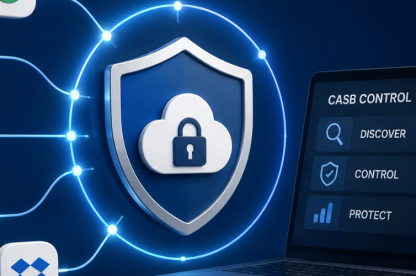
A strong email security solution scans links and attachments in real time, flags impersonation attempts before they reach users, provides quarantine and alert features to isolate threats, and integrates with Microsoft 365 or Google Workspace. TrustLayer’s platform includes these capabilities and gives IT teams comprehensive visibility and hands-on control to respond to evolving threats.
TrustLayer’s integrated tools enhance all core protection features and provide IT teams with live threat tracking and actionable intelligence.
2. Enable Multi-Factor Authentication (MFA)
Yes, MFA has been around for years, but attackers still hate it. Even if passwords are stolen, MFA blocks the majority of hijack attempts cold.
3. Educate your team
Human error is the weak link. A single training session isn’t enough. Use a strong Security Awareness Training solution to schedule simulated phishing drills and reward high performers to build a culture of awareness.
4. Lock down your domain
SPF, DKIM, and DMARC help prove your email really comes from you. They make it harder for attackers to spoof your exact domain and strengthen your reputation with external mail systems. Set them up properly, monitor them, and you’ll close off one of the easiest ways criminals impersonate your business.
5. Monitor activity logs
Review login activity and outbound mail flow regularly for anything unusual. Suspicious access patterns such as a login from an unusual country or mass outbound messages could indicate compromise.
Why is email protection essential for remote work?
NCSC guidance warns that remote and hybrid teams increase the likelihood of shadow IT and unsecured email practices. Employees often access work email from personal devices or on public Wi-Fi both known risk vectors. Organisations need policies, visibility, and technical enforcement to stay ahead.
Teams working remotely create more points of exposure. Devices outside IT control, open Wi-Fi networks, and mixing work with personal accounts all increase the risk. Without email security in place, these habits create blind spots.
Security Checklist
Use this quick checklist to keep your defences sharp:
- Choose a reliable email protection platform that integrates seamlessly with your tools and detects evolving threats in real time.
- Enable multi-factor authentication (MFA) on all accounts to block unauthorised access.
- Train your team regularly, using phishing simulations and real-world examples to reinforce best practices.
- Set up SPF, DKIM, and DMARC records to protect your domain and prevent spoofed emails.
- Review email access logs and configure alerts for any unusual activity.
Pro Tip: Review this checklist quarterly as threats and systems evolve. It’s one of the simplest ways to ensure your email protection setup doesn’t fall behind. Regular audits keep your organisation one step ahead.
Make email protection part of everyday security
Scammers adapt quickly, but that doesn’t mean businesses can’t stay ahead. With the right strategy, email protection becomes your frontline shield.
Start with tools your team trusts, training they’ll remember, and monitoring that helps. TrustLayer helps you implement all three with minimal effort and maximum return. Get in touch with our team!