SMEs use email backup and email archiving for different Microsoft 365 jobs. Backup restores mailbox data after deletion, unwanted changes or an attack. Email archiving gives Legal, compliance and IT a searchable record when they need to produce business email.
For the archiving requirement, TrustLayer’s Compliant Email Archive stores Microsoft 365 email in a separate, indexed repository. Users with the appropriate privileged role can search permitted mailboxes and retrieve records through the archive portal. The service also supports configured retention rules.
Confusing the two controls can leave a business without the process it needs when an incident or records request arrives. An archive may not provide the required recovery point, while a backup service may offer a limited long-term search workflow. The result can be slower recovery or retrieval, with IT left to determine which service owns the requirement.
What is the difference between email archiving and email backup?
Backup is appropriate when IT needs to restore mailbox data to a known point. An archive is appropriate when authorised teams need to retain, search, retrieve, export or audit business email.
The distinction also makes procurement clearer. A broad requirement to “protect Microsoft 365 email” does not identify the job.
Feature overlap can mislead. An archive may return one message, and a backup product may include search. Neither feature changes the product’s primary purpose.
Microsoft provides backup, archive mailboxes and retention as distinct capabilities with separate licensing and configuration. Microsoft 365 Backup creates recovery points for selected Exchange Online mailbox data. Exchange Online archive mailboxes add storage and can support retention, hold and eDiscovery requirements. eDiscovery means finding and producing digital records for legal or regulatory work.
Email archiving vs email backup at a glance
| Business requirement | Email backup | Email archiving |
| Restoration of deleted or modified mailbox data | Main function | May retrieve individual messages |
| Recovery after malicious deletion | Main function | Not a substitute for point-in-time recovery |
| Searchable email history | Product dependent and not the primary backup function | Primary archive use |
| Cross-mailbox search | Product-dependent search capability | Primary archive use |
| Long-term email retention | Product-dependent retention capability | Primary archive use |
| Support for investigations and disclosure requests | Product-dependent search and export capability | Primary archive use |
| Retention of captured former-employee email | Product dependent | Primary archive use |
| Point-in-time mailbox recovery | Core restore function | May return individual messages |
Why does the difference matter to an SME?
An incorrect assumption can become visible when a recovery or records request arrives. Backup may restore deleted mailbox data but provide a limited long-term search workflow. An archive may retrieve individual messages without supplying the recovery points needed after wider deletion or compromise.
For a lean IT team, that can mean more manual searching and slower retrieval. Clear ownership of each requirement also reduces dependence on one administrator’s knowledge.
What does email backup restore in Microsoft 365?
Email backup restores deleted or modified mailbox data from a defined recovery point. It supports recovery after accidental deletion, malicious changes or account compromise.
Microsoft 365 Backup is a separate pay-as-you-go service for Exchange Online, SharePoint and OneDrive. For Exchange Online, it creates recovery points for modified and deleted mailbox items and supports full or granular item restores. Microsoft currently documents a one-year retention period.
Microsoft maintains replicated copies of Exchange Online data to support service resilience. Those service copies are not customer-controlled restore points.
A controlled restore test should confirm that the available recovery points and restore granularity meet the recovery target.
What does email archiving help SMEs retain and retrieve?
A central archive gives authorised teams one place to handle records requests without opening mailboxes one by one. TrustLayer’s Compliant Email Archive supports this process through privileged search across permitted mailboxes, message retrieval and audited access.
Requests can span current users, former employees and long date ranges.
Without a central archive, IT may need to search accounts separately or work across exported files. PST files store Outlook mailbox data. EML files store individual email messages.
For an SME, useful archive functions include:
- Retention aligned with policy
- Cross-mailbox search for current and former employees
- Record retrieval and export
- Role-based access and audit records
How is Microsoft 365 retention different from backup and archiving?
A retention policy sets how long Microsoft 365 keeps content and what happens when the period ends. Backup supplies a restore workflow. A dedicated archive supplies search and retrieval.
Microsoft Purview can apply retention policies across Exchange, SharePoint, OneDrive and Teams. Retention labels apply more specific controls to individual items.
Retention should reflect documented legal and business requirements. Search and retrieval need their own test.
Are Microsoft 365’s native backup and archiving tools enough for an SME?
Microsoft-native controls may meet the requirement when the organisation holds the right licences and has configured the required recovery, retention and search workflows. Some organisations choose a separate archive for dedicated cross-mailbox search, role-based access or independence from the live mailbox environment.
An account compromise can create two jobs. Backup restores altered or deleted messages. An archive supports the investigation across affected users.
The decision depends on the licences, recovery targets and retention rules in place. Any requirement that no licence or service supports needs attention before procurement.
TrustLayer’s Compliant Email Archive provides a separate Microsoft 365 archive with role-based cross-mailbox search, configured retention and audit records. It is available separately or as an add-on to TrustLayer Mail. This gives authorised teams a defined route to historic email when Microsoft-native workflows do not meet the records requirement.
How do we archive Microsoft 365 email?
TrustLayer’s Compliant Email Archive captures journalled Microsoft 365 email in a separate, indexed repository. A configured journal rule sends copies of covered messages to the archive. We offer the archive separately or alongside TrustLayer Mail. A separate backup service remains necessary for customer-controlled point-in-time recovery.
1. A searchable record outside the live mailbox
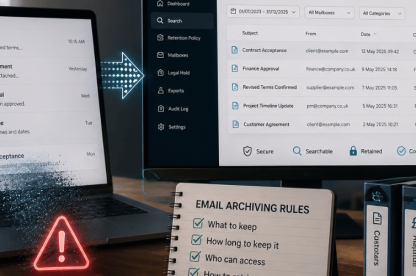
Records requests need a searchable source that does not depend on opening each live mailbox. The archive fingerprints and timestamps each journalled copy, then encrypts, compresses and indexes it. Authorised users can search the retained record from the archive.
2. Controlled cross-mailbox retrieval
Wider records searches need controlled access. Permissions determine which mailboxes each role can search, while sender, recipient, date and keyword criteria narrow the results. The archive records privileged searches in the audit log, helping IT evidence wider archive access.
3. Consistent retention and separate availability
Configured retention rules determine when the archive deletes messages or keeps them indefinitely. This helps IT apply the documented retention schedule consistently. Our product information states that authorised users can access archived email during a Microsoft 365 outage, and optional PST or EML ingestion can bring historic records into the same search process.
What should a practical email archiving service handle?
A practical archive should give authorised teams one place to search email from current and former users, retrieve records and control wider mailbox access. It should record privileged activity and support the organisation’s configured retention policy.
TrustLayer’s Compliant Email Archive addresses these records tasks through a separate, indexed Microsoft 365 repository. Role-based search controls which mailboxes a user can access, while audit records track privileged searches. This can reduce mailbox-by-mailbox work and give IT a clearer process for legal, compliance and operational requests.
A separate backup service remains necessary when the business needs customer-controlled point-in-time recovery.
When does the difference become urgent?
The gap becomes visible when a user leaves, a retention rule changes, an incident affects mailbox data or a records request arrives. At that point, IT needs a clear answer about which service restores data and which service retrieves retained email.
Leaving that decision unresolved can slow recovery, delay records work and increase the amount of manual searching required when time already matters.
Each requirement needs a defined service
Before procurement or renewal, each recovery and records requirement should have a confirmed licence or service. Any unsupported requirement can delay incident response, records work or leaver processing.
A practical TrustLayer Mail demo can validate cross-mailbox search, role-based access, configured retention and message retrieval against a real records requirement. It can show where our archive fits and which recovery requirement still needs a separate backup service.
Frequently asked questions
Does Microsoft 365 already back up Exchange Online email?
Microsoft protects Exchange Online through service resilience and deleted-item recovery. Microsoft 365 Backup is a separate pay-as-you-go service that organisations must license and configure for customer-controlled restore points. TrustLayer’s Compliant Email Archive addresses retention and retrieval, not point-in-time backup.
Can an email archive restore a deleted email?
TrustLayer’s Compliant Email Archive can return an individual archived message to a live mailbox. This supports isolated message retrieval, while a separate backup service remains necessary for customer-controlled point-in-time recovery.
Does email archiving support UK GDPR compliance?
TrustLayer’s configured retention, role-based access and privileged-search audit records can support an organisation’s information-governance controls. They cannot guarantee UK GDPR compliance. The organisation still determines lawful retention periods, access policy and deletion processes.