For SMEs using Microsoft 365, business email compromise is not always a fake-email problem. In many cases, an attacker gains access to a real account and uses it to push through a payment request or bank-detail change that looks routine. Email security now has to do more than block spoofing and obvious phishing attempts.
Microsoft 365 often sits at the centre of communication, approvals, invoices, and client contact in smaller businesses. In January 2026, Microsoft reported a multi-stage adversary-in-the-middle phishing and BEC campaign that abused SharePoint file-sharing, compromised accounts, and inbox rules to maintain persistence. Once an attacker gets inside a Microsoft 365 environment, the request can look much more convincing than a standard phishing email.
This is where many businesses make the wrong call.
At that point, the problem is no longer basic email filtering. The business needs stronger protection across the email traffic that sits around a real mailbox once it becomes part of the risk.
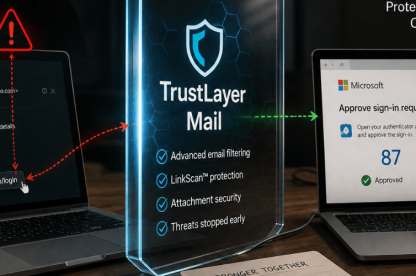
TrustLayer supports Microsoft 365 environments with stronger protection around the approval and payment workflows attackers usually try to exploit. Its Microsoft 365 email security challenge page explains where native protection can leave gaps, while DirectProtect shows how TrustLayer can sit inline with Microsoft 365 mail flow.
What is business email compromise in a Microsoft 365 environment?
Business email compromise is usually shortened to BEC. It describes a type of fraud where an attacker uses email to trick a business into sending money or changing payment details. Microsoft describes BEC as a social-engineering-led attack that relies on impersonation and pressure to push the victim into a costly mistake.
In a Microsoft 365 environment, that threat often goes beyond fake sender domains. An attacker may steal credentials through phishing, sign in to a legitimate account, read the inbox, and then wait. In many cases, the attacker watches invoice discussions and studies how approval requests are usually phrased before stepping into an existing conversation.
By that point, the attacker may already understand how approvals move and who is likely to act quickly.
That makes the request harder to challenge because it may come from a real mailbox and look like the emails that normally appear in that thread.
Why are Microsoft 365 BEC attacks hard to detect?
These attacks often evade detection because the usual checks miss the real problem.
A finance request may come from a genuine account that has already been compromised. An invoice change may arrive in the middle of an existing email thread. A payment request may use the right names and enough context to feel legitimate because the attacker has already studied the mailbox and learned how the business usually communicates.
That strips away many of the warning signs people usually rely on. If the message comes from a compromised account, sender authentication no longer tells the full story. The attacker may already be operating inside a mailbox the recipient trusts.
How do Microsoft 365 email compromise attacks usually happen?
A phishing page captures credentials. An attacker signs in. The attacker reviews mailbox content, watches conversations, and works out how supplier or approval requests usually move. In many cases, the attacker sits quietly in the account first and waits for a believable point to act.
The request may ask for an urgent payment. In other cases, it asks for a bank-detail update or for documents that should not be shared on trust alone. The wording often stays calm because a routine message attracts less challenge than an obviously aggressive one.
For SMEs, the attack does not need technical sophistication to work. It only needs to look normal long enough to reach the right person at the right stage of the workflow.
That is usually where somebody approves something they should have checked.
What should SMEs change after a Microsoft 365 BEC attack?
Change what counts as a warning sign. Email security has to cover compromised accounts, suspicious sign-ins, and requests that blend into normal communication.
Then review how Microsoft 365 protection is working in practice. Native controls matter, but a business still needs to know when logins look unusual and when finance or approval workflows start becoming too easy to abuse.
Finally, tighten process. Even strong tooling cannot remove the need to verify payment changes or check suspicious requests outside email.
Which identity controls reduce BEC risk in Microsoft 365?
Identity controls matter because many Microsoft 365 BEC attacks still begin with stolen credentials.
Multi-factor authentication is the first control to lock down. If an attacker steals a password, multi-factor authentication makes it much harder to turn that password into live mailbox access. That blocks many straightforward compromise attempts before the attacker gets into the inbox.
Suspicious sign-in monitoring matters because the first clear warning may be an unusual login, not the payment request that comes later. A business needs visibility into unusual locations or sign-in behaviour because compromised access often shows up there first. If nobody checks those signals, the attacker can stay in the mailbox longer than expected.
That is often the first real chance to stop the compromise before it reaches finance or approvals.
Conditional access also helps. A business can use it to tighten control over who signs in and under what conditions. For a smaller organisation, that can reduce the chance of a compromised credential turning into broader mailbox access and a more convincing fraud attempt.
Can Microsoft 365 native email protection stop BEC?
Microsoft 365 native controls matter, but they do not always stop compromise that starts with stolen credentials, trusted inbox access, or low-signal social engineering inside normal communication. Once an attacker uses a real mailbox or a believable internal-looking message, the business needs more than spam filtering or surface-level sender checks.
This is the point where extra email controls start to earn their place. A business needs stronger impersonation detection, better coverage across inbound, outbound, and internal email, and tighter control around low-signal social-engineering attempts that look ordinary rather than malicious.
This is usually the point where default protection stops being enough, and where businesses start looking for deeper visibility into what is happening inside Microsoft 365.
TrustLayer Mail helps businesses strengthen protection around Microsoft 365 with inline threat protection against phishing, spoofing, malware, and BEC across inbound, outbound, and internal email. The Microsoft 365 email security challenge page sets out that gap clearly, and DirectProtect explains how that protection can work without disrupting Microsoft 365 mail flow.
What does stronger protection around Microsoft 365 email look like?
If Microsoft 365 handles the core mailbox environment, the next question is how well the business can detect impersonation attempts and suspicious messages that blend into normal traffic. Stronger protection helps the business spot those messages earlier and decide faster when a message needs review.
That matters most when the sender looks legitimate and the message does not stand out.
Which process checks still matter when email looks legitimate?
A compromised mailbox can still produce a convincing request, so process controls matter just as much as technical ones.
A finance change should trigger a callback or another independent check. A bank-detail update should never move forward on email alone, because BEC succeeds when a genuine-looking message is treated as proof. A request that breaks normal approval patterns should be paused and reviewed, even if the sender appears familiar.
That kind of discipline protects the business when a message looks real, and a member of staff feels under pressure to act quickly. It gives staff a clear basis for challenge without slowing every interaction down.
That is how a business breaks the attacker’s control of the conversation.
Why do SMEs need layered email security in Microsoft 365?
Larger organisations may have more people and more time to review risk signals. Most SMEs do not.
A smaller business often runs on speed and direct trust. That makes email compromise more dangerous because one believable request can reach the right person at the right moment without much friction.
Layered email security matters more in that setting because one missed signal can move quickly from a compromised mailbox to payment fraud or data loss. It also shows where trust starts to break down inside the email environment.
How can TrustLayer strengthen Microsoft 365 email security?
TrustLayer One brings together web, email, posture, and user-based controls in one platform. For a Microsoft 365 business, that matters because email risk does not sit in the inbox alone. Sign-in activity, weak policy controls, and approval workflows all influence how compromise develops. TrustLayer presents that Microsoft 365 fit most clearly through its Microsoft 365 email security challenge page and its DirectProtect deployment approach.
That helps a smaller organisation see how mailbox abuse, sign-in exposure, and weak approval controls connect. It also makes it easier to decide which control gaps need attention first.
What should SMEs do next?
Start with the basics, then push further. Review multi-factor authentication, suspicious sign-in monitoring, conditional access, invoice verification, and approval processes. Then look at whether current email protection gives enough visibility into impersonation and compromised-account behaviour.
For finance-led SMEs, Microsoft 365 administrators, and anyone responsible for payment approvals, that review should focus on one question. Can the business spot account compromise early enough to stop a believable request from moving forward?
If the answer is not clear, review TrustLayer and fix the weak points before a trusted mailbox gets used to move money or pull data out of the business.