Tycoon 2FA showed how phishing can capture an authenticated session after a user completes MFA. For SMEs using Microsoft 365, stronger email security starts before the sign-in page and continues after account access.
The March 2026 disruption of Tycoon 2FA exposed an important limit of common MFA methods. Attackers could relay a legitimate Microsoft 365 sign-in and capture the session created after the user authenticated. The resulting access could support payment fraud, data theft or further phishing, while messages from the compromised account could still appear genuine.
MFA remains essential, but it cannot inspect the phishing email that begins the attack or verify what happens after an attacker takes over a genuine mailbox. TrustLayer Mail adds protection at the email and link stage, while Microsoft Entra provides identity controls such as Conditional Access and session revocation. Together, these controls reduce reliance on every user recognising a fraudulent sign-in route.
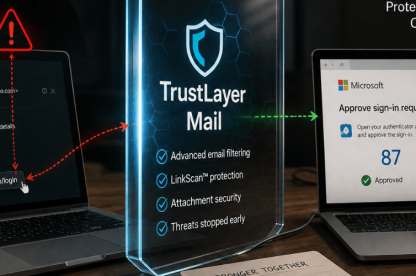
Additionally, TrustLayer Mail helps block phishing threats and dangerous links before users reach fraudulent Microsoft 365 sign-ins. DirectProtect™ adds that protection without changing the existing mail path.
What Tycoon 2FA revealed about Microsoft 365 email security
Tycoon 2FA was a phishing-as-a-service platform. In simple terms, it gave criminals ready-made tools to create convincing login pages and intercept sign-ins. Active since at least 2023, it copied Microsoft 365 and other popular services, lowering the technical barrier to account-takeover campaigns.
Microsoft said campaigns using Tycoon 2FA produced tens of millions of fraudulent emails and reached more than 500,000 organisations each month. By mid-2025, Microsoft linked the platform to about 62% of the phishing attempts it blocked.
In March 2026, Microsoft worked with Europol and industry partners to disrupt the operation, seizing 330 active domains. The action removed important infrastructure, but it did not remove the adversary-in-the-middle technique. Okta later detected Tycoon 2FA activity across more dispersed infrastructure.
How Tycoon 2FA bypassed common MFA methods
Tycoon 2FA used adversary-in-the-middle phishing. An attacker-controlled service relayed the sign-in process between the user and the legitimate provider in real time.
The attack followed four stages:
- A phishing email led the user to an attacker-controlled login page.
- The page relayed the username and password to the legitimate service, which triggered the real MFA request.
- The user completed the genuine MFA step through the fraudulent page.
- The phishing platform captured the resulting session cookie or token for the attacker to reuse.
The page could show familiar branding and the expected MFA prompt because it relayed the genuine service. A session token gives the service temporary proof that the user has logged in. Once attackers steal that token, they can reuse the authenticated session without entering the password or MFA code again.
Tycoon 2FA left MFA intact and captured the session after a successful sign-in. MFA still blocks many credential-only attacks, but phishable methods may fail when a malicious page relays the sign-in. A password reset changes the credential. Session revocation removes access that the service already granted.
What email account takeover means for SMEs
A compromised mailbox creates an IT incident and a business-control problem. Microsoft observed Tycoon 2FA campaigns using compromised accounts and existing email threads to increase legitimacy. Mailbox access can give attackers useful timing and conversation context, which can support payment fraud or further phishing.
A message from a legitimate account can still carry a fraudulent payment instruction, so email alone cannot verify the request.
Attackers may also search for sensitive information, modify mailbox rules or follow links into connected services. Microsoft found that Tycoon 2FA attackers registered new authenticator apps and launched further phishing from compromised accounts.
For a lean IT team, an account takeover can add containment work to routine Microsoft 365 administration and user support. The pressure can increase when the same incident affects finance, suppliers or customers.
How email security reduces risk before the click
SMEs need a focused set of controls that teams can test, monitor and use under pressure.
Advanced filtering should assess sender and domain behaviour, message intent and the risk carried by links or attachments. For impersonation attempts, the display name offers only one clue. The sending domain, reply-to address and authentication results provide stronger context. This helps the security layer identify convincing messages that contain no obvious malware.
Delivery-time scanning checks whether a link looks dangerous when the message arrives. Point-of-click scanning checks the destination when the user opens it, which matters because links can change after delivery. TrustLayer LinkScan rewrites embedded URLs and rescans them at the moment of use. For an SME, this means the destination receives another check when risk becomes real, rather than relying on one earlier result.
Attachment protection should inspect files and linked documents before they lead users to fake login pages. Microsoft found that Tycoon 2FA could generate EML files, PDFs and QR-code lures. Awareness training should also explain that familiar branding and a genuine MFA prompt do not prove that the route was legitimate.
TrustLayer Mail brings email threat protection, attachment controls and LinkScan into one email security layer around Microsoft 365. For lean teams, this can reduce the need to manage separate point controls at the stage where the attack begins.
Stronger sign-in controls for higher-risk accounts
Microsoft recommends phishing-resistant authentication for privileged roles. Organisations can also extend stronger authentication to payment approvers and other users whose accounts could authorise transactions or expose sensitive information. Microsoft Entra supports phishing-resistant authentication strengths through Conditional Access.
Report-only mode allows teams to evaluate policies before enforcement. A staged rollout can reveal unexpected effects on devices or service accounts before wider deployment.
How teams detect and contain suspicious access
Microsoft Entra ID Protection can surface unfamiliar sign-in properties, atypical travel and anomalous token activity. Microsoft Defender products can also identify suspicious forwarding or mailbox manipulation, depending on licensing and configuration. Correlating these signals helps teams prioritise likely account-takeover patterns instead of investigating each alert in isolation.
Mailbox-rule monitoring and named alert ownership can shorten the gap between detection and containment. Once compromise looks likely, the priority shifts to securing the account and revoking active sessions. The investigation can then review MFA methods, mailbox rules, application permissions and messages sent by the attacker before access returns.
Payment controls outside the mailbox
Email controls can reduce the chance of a fraudulent request reaching finance, but they cannot verify a bank-detail change. UK Finance recommends using contact information already held on file. A second approver can add control around high-value or unusual payments.
Finance also needs clear authority to pause a payment that breaks the agreed route. Pre-incident testing can show whether the verification process works when the usual contact cannot respond.
How TrustLayer Mail strengthens Microsoft 365 email security
Our TrustLayer Mail combines inline email protection with LinkScan point-of-click URL analysis. We list phishing, spoofing, impersonation, malware and business email compromise among the threats covered. For lean IT teams, this brings complementary email controls together at the stage where the attack begins.
DirectProtect™ keeps Microsoft 365 mail on its existing path without MX record changes or DNS edits. We also describe guided setup, safe testing and a rollback path. This lets teams add protection without turning the project into a mail-routing redesign.
TrustLayer Mail can operate as part of the modular TrustLayer One platform alongside TrustLayer Browse, TrustLayer Posture and TrustLayer Users. This can give lean teams a more consistent view across complementary controls and reduce routine console switching. Microsoft Entra handles Conditional Access, phishing-resistant authentication and session revocation.
Together, email and identity controls reduce reliance on one user recognising a fraudulent sign-in route and give the business a clearer path from prevention to containment.
Is MFA carrying too much of your email security strategy?
See how TrustLayer Mail adds email and link protection around Microsoft 365 without unnecessary mail-routing changes.
Book a demo | Explore TrustLayer Mail
Frequently asked questions
Can phishing bypass MFA?
Yes. Adversary-in-the-middle phishing can relay a legitimate sign-in and capture the session token issued after the user completes MFA. Phishing-resistant authentication and email controls provide stronger protection against this type of relay.
Which layered email security controls should SMEs prioritise?
A practical priority set covers four points in the attack path: email filtering with link and attachment protection, phishing-resistant authentication, monitoring for suspicious access and mailbox changes, and independent payment verification. Accounts that can authorise payments or affect other users deserve earlier attention.
What should a business do after a suspected Microsoft 365 account takeover?
The response starts with securing the account and revoking active sessions. The team can then reset credentials, review MFA methods and inspect mailbox rules, connected applications and messages sent by the attacker. Access should return after the team removes malicious changes and understands the affected scope.
Does Microsoft 365 already include email security?
Yes. Microsoft 365 cloud mailboxes include built-in protection against broad, known email attacks. Microsoft Defender for Office 365 adds capabilities such as Safe Links and Safe Attachments according to the plan and configuration. TrustLayer Mail adds a separate email security layer around Microsoft 365, giving teams additional control at the email and link stage.