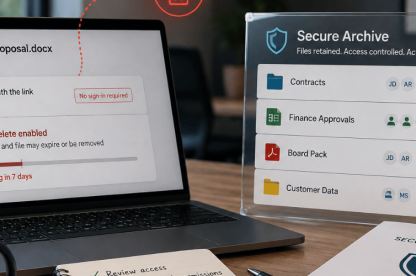
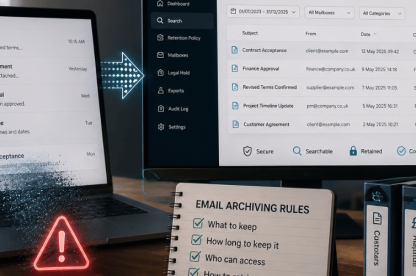
If you run IT for a growing or mid-market organisation, sharing a file is the easy part. The harder question comes later: who can still open it after a project ends, a role changes or a supplier leaves? CASB security gives you a clearer view of cloud activity and lets you enforce controls over supported actions. Native access reviews and offboarding processes still need to remove permissions that are no longer required.
IT needs evidence of who can still open a contract, board pack or customer file, together with confirmation that obsolete links or permissions have been removed.
Closing a user account may not remove every sharing route or downloaded copy.
With TrustLayer Browse, we give lean IT teams one place to see application activity and apply policy across supported cloud services. This can reduce the time spent checking separate consoles when they need to investigate what happened. Explore TrustLayer Browse.
What is CASB security for cloud file sharing?
CASB shows IT which cloud applications people use, what they do in them and which actions may need to be allowed, restricted or blocked. For shared files, that might mean spotting an unapproved storage service, seeing external activity or stopping a download to an unmanaged device. Exact controls depend on the application and deployment, and native platform controls still govern permissions, identities and data handling.
Our current CASB materials list agent, gateway, inline and API-based deployment options. Through TrustLayer Browse, we can monitor activity, raise alerts, show risk information for cloud applications and control specified user actions across supported services.
Which cloud file-sharing risks should IT review?
Cloud file-sharing risks worth reviewing include lingering supplier access, separate leaver identities, unrestricted links, unmanaged downloads and duplicate file stores.
1. Can suppliers still access files after work ends?
Access granted to an auditor, accountant, solicitor or contractor may remain after the work ends if nobody is responsible for removing the guest account or expiring the link.
Lingering access may expose pricing, customer information, internal comments or files added later. A review based only on the supplier’s email address may miss access inherited through a group, another sharing link or a copy downloaded earlier.
A useful review covers the workspace, its groups and active links, rather than relying on a search for one email address.
2. Can leavers retain access through another route?
Disabling an employee’s main account closes an important route. Files already synchronised or downloaded remain in place, and a separate guest identity or personal account may still provide access.
Offboarding should review known identities, sharing routes and local copies outside central control.
3. Are unrestricted sharing links still active?
In Microsoft 365, an Anyone link does not require authentication and can be forwarded to other recipients. Activity through that link cannot be attributed to each individual reader.
For a sensitive file, the review should cover who created the link, whether recipients must sign in, when it expires and whether the business still needs it. A link with no owner or end date is difficult to govern even when its original use was legitimate.
4. Can sensitive files be downloaded to unmanaged devices?
Removing cloud access does not itself delete copies already downloaded to personal or unmanaged devices.
A CASB rule that blocks a new download does not remove a copy that was already saved or synchronised. Endpoint controls, encryption and data-handling processes may still be required.
5. Are teams using duplicate or unapproved file stores?
Duplicate repositories can appear when employees use personal storage, additional collaboration tools or unapproved file-sharing services.
The next step is to decide whether the service should be approved, restricted or removed, which repository will remain the system of record and how existing files will be handled.
6. Can IT see file-sharing activity across multiple SaaS services?
When files move through several cloud applications, IT may need to check different consoles to understand who uploaded, downloaded or shared them. A CASB can provide a more consistent view of activity and policy across supported services, which can make investigations and access reviews easier.
When should an IT team consider CASB security?
A CASB is worth considering when it has become too manual to review activity or apply the same rules across several SaaS services. Company size alone is not the deciding factor.
- Several SaaS applications now hold business files or customer information.
- Sensitive documents move regularly between employees, suppliers, auditors or customers.
- Hybrid work has introduced personal devices or other unmanaged access.
- The same upload, download and external-sharing rules need to work across supported services.
How can CASB security help control shared cloud files?
A CASB can flag risky cloud activity, restrict supported actions and record activity for investigation. Seeing users, applications and actions together can reduce the need to check separate administration portals and can surface the use of unapproved cloud services. Underlying permissions and guest identities may still need to be changed in the relevant cloud or identity platform.
| Control stage | Practical purpose |
| Detect | Identify applications with higher risk ratings, external activity, unusual downloads or policy breaches. |
| Prevent | Restrict or block an upload, download or access action where supported. |
| Remediate | Use the relevant cloud, identity or endpoint platform to remove a guest, expire a link, change group membership, disable an identity or address a downloaded copy. |
| Evidence | Use activity and alert records to support the investigation, then document the decision and outcome through the organisation’s normal process. |
Move from monitoring to enforcement
A blanket block on day one can disrupt approved work. A safer approach is to learn what normal activity looks like, target the services and actions that create the clearest risk, and review activity through monitoring and reporting where available. Enforcement can follow once the likely policy impact is understood. Every exception needs an owner and review date. An exception with neither becomes difficult to govern.
Make alerts actionable
The owner and response should be defined before an alert is enabled. Depending on the event, the next step may be to remove a permission, contact the workspace owner, block the activity or record an approved exception. Without an owner and a defined response, the alert remains unresolved.
Do you need CASB if you already use Microsoft 365?
Microsoft 365 provides permissions, external-sharing settings, sensitivity labels and data loss prevention for SharePoint and OneDrive. A CASB can help the same team see activity and apply more consistent rules across Microsoft 365 and other SaaS services. Native Microsoft controls continue to govern access inside Microsoft 365.
| Control | Primary role |
| Native file permissions | Determine who can open, edit or share a file. |
| Identity governance | Reviews and governs continuing access for users, guests and roles. |
| CASB security | Shows cloud application activity and applies access or activity policies across supported services. |
| Data loss prevention | Identifies sensitive data and controls how it is handled. |
| Multi-factor authentication | Adds another verification step when users sign in. |
| Joiner, mover and leaver process | Adds, changes and removes access as roles and employment change. |
How do you audit and control access to shared cloud files?
An audit should start with the access routes that are hardest to account for: external workspaces, guest accounts, public links and unusual file activity. For every permission retained, the review should record who owns it and why it is still needed.
The four-question cloud file control test
- Who owns this shared location or document?
- Who can access it now?
- What can each person do with the file?
- When should that access end?
If any answer is unclear, you have a file-control gap worth reviewing.
Strengthen this month
Apply least-privilege access, assign an owner to each external workspace and give every exception an expiry date.
Label sensitive files and define controls for unmanaged-device downloads and personal-storage uploads.
Document alert responses and make supplier and leaver access removal part of formal offboarding.
Maintain routinely
Set review frequency by data sensitivity and revisit access when projects, contracts, roles or workspace ownership change.
Record whether unusual activity was expected, blocked, approved or remediated.
Confirm controls reduce risk without preventing approved work.
How we help restore cloud file control
With TrustLayer Browse, we help lean IT teams see how supported cloud applications are used and apply controls to actions such as uploads and downloads. This can help them investigate external access and decide whether the next step is a policy change in TrustLayer Browse or an access change in the relevant cloud or identity platform.
Temporary access should have an owner, a current reason and an end date.
See TrustLayer Browse in action
Book a demo and we’ll show you how TrustLayer Browse can support cloud application visibility and action-level policy across supported services. We’ll tailor the walkthrough to your stack, users and policies. Book your TrustLayer demo.
Frequently asked questions
Can a former employee still access cloud files after their account is disabled?
Yes. A guest or personal account, forwarded link or downloaded copy may remain after the main account closes. Offboarding should review known identities, sharing routes and local copies.
Does CASB remove file permissions automatically?
Not always. A CASB may flag or restrict the activity, while the permission, guest account or sharing link may still need to be changed in the relevant cloud or identity platform.
Can CASB stop downloads to personal devices?
In supported services, a CASB policy may restrict a download based on the user, device, location or level of risk. Endpoint and data-protection controls may still be required for files already saved.