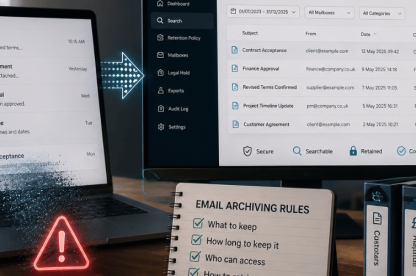
Email protection matters most when a message looks normal and asks somebody to act quickly. In 2026, SMEs need a setup that catches those messages earlier, gives IT teams useful context, and fits Microsoft 365 and hybrid work without adding more admin.
The real question is simpler: what should good protection include now, and how can SMEs tell when the current setup is too weak?
That is where TrustLayer Mail helps most. It gives SMEs a practical route to stronger email security without adding unnecessary friction, which makes it easier to judge current protection against what modern threats actually require.
Why is spam filtering no longer enough for email protection?
Spam filtering still removes junk, but it does not catch the email attacks that cause the most damage. It reduces low-quality noise and removes obvious nuisance emails before they reach users. That still matters. Many modern email attacks no longer depend on looking obviously suspicious.
Attackers now send more convincing phishing emails, including AI-assisted content, that mimic normal working language, supplier messages, document shares, login prompts, and internal requests. Business email compromise attempts often rely on timing, urgency, and trust rather than malware. Credential harvesting pages can look close enough to real login screens to catch busy employees off guard. Account takeover adds another risk because once an attacker gets access to a legitimate mailbox, the messages they send can look far more believable.
Basic filtering no longer covers the full problem. It may reduce noise, but it does not always detect impersonation, context-based fraud, or suspicious internal activity. For SMEs, that gap matters because one convincing message can still lead to payment fraud or credential theft.
What should effective email protection actually do?
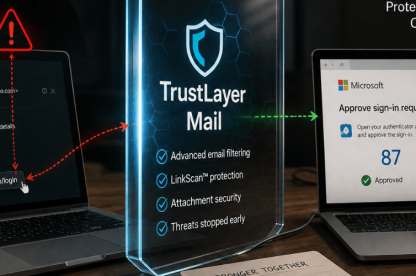
Good email protection should do more than sort messages into spam and non-spam. It should catch suspicious messages earlier, inspect links and attachments, flag impersonation or BEC signals, and give admins enough context to act when something still gets through. That helps businesses reduce avoidable clicks, investigate faster, and stop one bad message turning into a wider problem.
In practice, that means looking at more than the message itself. Some attacks arrive as malicious links. Others depend on fake approvals, invoice requests, or compromised accounts that look legitimate at first glance. That wider context is what basic filtering often misses.
What layers should effective email protection include?
The strongest setups use layers that support each other without creating more handling for lean teams.
- Advanced threat detection
- Basic filtering can still catch low-grade spam, but modern protection also needs to detect impersonation attempts, suspicious sender behaviour, and messages that look credible because the wording, timing, and context all feel normal.
- Link and attachment scanning
- Links and attachments still create two of the most common failure points in email security. Good protection should inspect them before a rushed click leads to credential theft or malware delivery.
- Impersonation and anomaly detection
- Some of the most damaging attacks look like payment requests, supplier updates, or internal approvals. Protection should look for spoofing, BEC patterns, and unusual behaviour around senders or message flow.
- Identity support and response readiness
- Mailbox security becomes harder to manage once attackers steal credentials or gain account access. Strong protection should sit alongside identity controls and give teams enough context to investigate and respond without wasting time across separate tools.
For smaller organisations, the priority is not stacking as many tools as possible. The priority is choosing layers that cover the main risks and remain manageable. TrustLayer Mail supports that approach by helping businesses strengthen protection against phishing, spoofing, BEC, and other modern threats without adding unnecessary friction or extra handling for the team.
A more practical way to review your setup
A setup that still depends mainly on spam filtering is likely missing important layers. Review your current setup with TrustLayer to see how existing controls measure up against modern threats, Microsoft 365 exposure, and everyday business requirements.
How does effective email protection fit into Microsoft 365 and hybrid work?
Many SMEs rely heavily on Microsoft 365 for email, file sharing, collaboration, and user identity. Hybrid work adds more chances for rushed decisions and delayed checks, so protection has to fit the way people already work.
A phishing email can lead to a login page, a compromised account, a malicious file share, or wider cloud access issues. Many businesses assume Microsoft 365 defaults cover more of this risk than they actually do.
Microsoft 365 email security becomes much stronger when protection fits the environment properly instead of forcing extra routing changes or more manual handling. TrustLayer One then gives organisations a simpler way to connect mail security with posture visibility and user risk insights in one platform, which helps lean teams work from one clearer view instead of chasing separate alerts. When a user still misses a phishing clue, TrustLayer Posture can help surface risky behaviour and misconfiguration issues across cloud services.
How can SMEs tell if their current email protection is too weak?
A weak setup usually becomes obvious in day-to-day operations before the business formally treats it as an email security problem.
Common warning signs include:
- staff still receive convincing phishing emails that pass straight through the filter
- impersonation or BEC remains a recurring concern for finance, operations, or leadership support roles
- alerts arrive without enough context for IT to judge what happened quickly
- response still depends on manual checks across separate tools
- the setup blocks junk well but leaves the harder decisions with users
These warning signs usually point to the same issue: the current setup filters volume, but it does not give the team enough context, control, or follow-up support when higher-risk messages get through. TrustLayer customer stories show how clearer visibility and lower operational overhead can help teams respond with less guesswork.
What should SMEs look for in an email protection solution?
When reviewing email security products, the real test is not how many features appear on the page. The real test is whether the product helps a lean team catch more of the messages that matter and act faster when something still gets through.
Look for a solution that offers:
- protection across inbound, outbound, and internal email, not just spam filtering
- useful admin context, so the team can see why a message was flagged and what to do next
- support for phishing, spoofing, BEC, and suspicious sender behaviour
- a practical fit with Microsoft 365 and hybrid work without awkward routing changes
- a clear path from detection to investigation and response
- day-to-day manageability for a small IT team, not just strong claims on paper
A solution that covers those areas is far more likely to reduce manual handling, improve response speed, and give the business better control over day-to-day email risk.
From basic filtering to practical protection
The strongest setups reduce guesswork for lean teams. They help people catch suspicious messages earlier and give admins clearer context when something still gets through.
A clearer next step for stronger email protection
For organisations that need a more practical way to strengthen email security without adding unnecessary admin, speak to TrustLayer about what stronger protection should look like in everyday operations and where the current setup may still be exposed.